
Download Shiken – AI‑Driven Microlearning Platform, Free, Secure Learning Tool
Introduction
In today’s fast‑paced educational and corporate environments, the ability to acquire new knowledge in short, focused bursts has become a decisive competitive advantage. Traditional e‑learning solutions, while comprehensive, often suffer from overly long video lectures, static slide decks, and a lack of personalization that can leave learners disengaged. Enter Shiken, an AI‑powered microlearning platform designed to bridge that gap by delivering bite‑sized, adaptive learning experiences that fit into even the busiest schedules.
Whether you are a university student preparing for finals, a teacher looking to enrich classroom interaction, or a learning‑and‑development professional seeking scalable training for a global workforce, Shiken offers a unified environment that combines intelligent content creation, real‑time analytics, and a suite of engagement tools. The platform’s core promise is simple yet powerful: transform any static document—be it a PDF, PowerPoint, or web article—into interactive quizzes, flashcards, and scenario‑based role‑plays, all while continuously tailoring the material to each learner’s strengths and gaps. This introduction will set the stage for a deeper dive into Shiken’s features, installation process, compatibility, and an honest assessment of its pros and cons, helping you decide if this tool aligns with your learning objectives and technology stack.
Overview
Shiken stands out as a next‑generation microlearning ecosystem that leverages artificial intelligence to make learning both faster and more effective. At its heart is the AI‑driven “Knowledge Assistant,” which monitors user interactions, evaluates mastery levels, and surfaces the most relevant micro‑content in real time. Unlike conventional learning management systems that force learners to follow a linear path, Shiken’s adaptive engine creates a dynamic learning journey where each lesson, quiz, or flashcard is selected based on the individual’s performance, preferences, and even the time of day.
The platform supports three primary learning modalities: quick micro‑lessons (3‑5 minute sessions), spaced‑repetition flashcards that adjust intervals using the proven Leitner system, and immersive scenario‑based role‑plays that simulate real‑world situations such as sales pitches, emergency responses, or language conversations. In addition to these core modalities, Shiken integrates mindfulness tools—including a Pomodoro timer, breathing exercises, and reflective note‑taking—to promote cognitive well‑being and improve retention. Educators and administrators benefit from a powerful analytics dashboard that provides granular insights into engagement rates, average response times, knowledge retention percentages, and cohort performance trends.
By consolidating content creation, delivery, and assessment into a single, cloud‑native platform, Shiken eliminates the need for multiple authoring tools, reduces production costs, and accelerates the rollout of new learning initiatives across diverse audiences. Whether you are looking to boost exam scores, upskill employees, or foster continuous professional development, Shiken’s AI‑first approach ensures that learning stays relevant, personalized, and measurable.
Core Features That Set Shiken Apart
Shiken’s feature set is built around the principle of delivering maximum impact with minimal friction. The platform’s AI engine works silently in the background, continuously analyzing learner data and making real‑time adjustments to the learning path. Below is a detailed look at the capabilities that differentiate Shiken from other education and training tools on the market.
- AI‑Powered Knowledge Assistant: Continuously evaluates learner performance and curates micro‑content that targets weak spots, ensuring efficient use of study time.
- Live Quizzes & Instant Feedback: Real‑time scoring, detailed explanations, and competitive leaderboards keep motivation high and reinforce learning.
- Flashcard Generator with Spaced Repetition: Turns any document, slide deck, or URL into scientifically‑backed flashcards, automatically adjusting review intervals based on recall strength.
- Scenario‑Based Role‑Play Simulations: AI‑driven interactive scenes let users practice soft skills, sales techniques, or emergency procedures without the need for actors or expensive setups.
- Mindfulness & Note‑Taking Suite: Integrated Pomodoro timer, breathing exercises, and collaborative notebooks support mental focus and reflective learning.
- Custom Challenge Builder: Educators can design timed challenges, team‑based competitions, or badge‑driven quests that align with curriculum objectives.
- Real‑Time Engagement Analytics: Dashboards display completion rates, average response times, knowledge retention metrics, and cohort comparisons.
- One‑Click Content Conversion: Upload PDFs, DOCX files, or paste links; the AI extracts key concepts and instantly creates interactive lessons, quizzes, or flashcards.
- Multi‑User Collaboration: Teams can share decks, comment on flashcards, co‑author quizzes, and track collective progress.
- Cross‑Platform Sync & Web Access: Progress is saved across Windows, macOS, Android, iOS, and any modern browser, enabling seamless switching between devices.
Each of these features has been engineered to reduce the administrative burden on educators while maximizing learner engagement. For example, the one‑click content conversion eliminates the hours traditionally spent on manual quiz creation, and the AI‑driven analytics provide actionable insights that can be used to fine‑tune curricula in real time. Together, these capabilities create a holistic learning environment that is both adaptable and data‑driven.
Installation, Usage & Compatibility
Step‑by‑Step Installation
Getting started with Shiken is designed to be frictionless. First, visit the official Shiken website and click the “Download for Windows/macOS/Android/iOS” button that matches your device. For desktop users, the installer is a signed .exe (Windows) or .dmg (macOS) file that runs through the standard OS security prompts. Mobile users are directed to the Google Play Store or Apple App Store, where the app appears under the name “Shiken – AI Microlearning.” After the download completes, launch the installer, accept the license agreement, and choose your preferred installation folder (the default location works for the majority of users). The process typically finishes within two minutes, after which the Shiken icon appears on your desktop or home screen.
First‑Run Configuration
Upon first launch, Shiken guides you through a brief onboarding wizard. You’ll create a free account using an email address or single‑sign‑on via Google or Microsoft. The wizard then asks a few optional questions about your learning goals (e.g., exam preparation, skill development, corporate training) and preferred learning style (visual, auditory, kinesthetic).
This information powers the Knowledge Assistant’s initial recommendations. Next, you’ll be invited to link existing cloud storage (OneDrive, Google Drive, Dropbox) so that the AI can access documents you wish to convert. Finally, the app checks for the latest updates; Shiken’s auto‑update feature ensures you always have the newest AI models and security patches without manual intervention.
Daily Usage Workflow
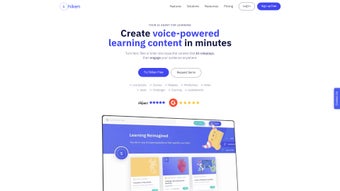
The main dashboard displays three core modules: “Today’s Micro‑Lesson,” “My Flashcards,” and “Live Challenges.” Clicking “Today’s Micro‑Lesson” presents a short, AI‑curated lesson that can be completed in 3‑5 minutes. After finishing, you receive instant feedback and a suggestion for the next micro‑content based on your performance. The “My Flashcards” tab lets you review spaced‑repetition cards, with the AI adjusting intervals according to recall strength. The “Live Challenges” area hosts scheduled quizzes, group competitions, or role‑play scenarios that you can join with a single tap. Throughout the day, the mindfulness widget nudges you to take short breaks, practice breathing exercises, or write quick reflective notes—features that have been shown to improve retention.
Supported Operating Systems
Shiken is built on a cross‑platform framework and officially supports Windows 10/11, macOS 11 (Big Sur) and later, Android 8.0+ and iOS 13+. The web version runs in any modern browser (Chrome, Edge, Safari, Firefox) and offers the same AI‑driven experience, making it easy for institutions to deploy without installing software on every workstation.
Pros & Cons – An Honest Evaluation
Pros
- Highly Personalized Learning: AI tailors content in real time, reducing time spent on irrelevant material.
- Rapid Content Creation: One‑click conversion of PDFs, slides, and URLs into interactive lessons saves weeks of development.
- Engaging Micro‑Format: Bite‑sized lessons fit into busy schedules and improve knowledge retention.
- Robust Analytics: Real‑time dashboards help educators and managers make data‑driven decisions.
- Cross‑Platform Sync: Seamless experience across desktop and mobile devices.
- Free Tier Available: Core microlearning features are accessible without a paid subscription.
- Secure Cloud Integration: End‑to‑end encryption for uploaded documents and user data.
- Mindfulness Tools: Built‑in Pomodoro timer and breathing exercises support mental focus.
- Scalable for Teams: Multi‑user collaboration and role‑play simulations work for small classrooms or large enterprises.
- Regular AI Updates: Auto‑update mechanism keeps the recommendation engine current.
Cons
- Learning Curve for Advanced Features: Role‑play scenario builder and analytics dashboards may require additional training.
- Limited Offline Access: Most AI functions require an internet connection; offline mode is basic.
- Free Tier Restrictions: Some premium AI models and large‑scale enterprise reporting are locked behind paid plans.
- Potential AI Bias: Content recommendations depend on the quality of input data; poor source documents can affect outcomes.
- Subscription Cost for Full Suite: Advanced analytics and enterprise integrations come at a higher price point.
FAQ & Conclusion
Is Shiken really free to use?
Shiken offers a robust free tier that includes live quizzes, flashcard generation, and the Knowledge Assistant for up to 50 active users. Premium features such as advanced analytics, enterprise role‑play simulations, and priority AI model updates require a paid subscription.
Can I import my existing course materials?
Yes. Shiken’s AI can process PDFs, PowerPoint slides, Word documents, and even public URLs. After uploading, the platform automatically extracts key concepts and creates interactive flashcards, quizzes, or micro‑lessons.
How secure is my data on Shiken?
Security is a top priority. All data is encrypted in transit with TLS 1.3 and at rest using AES‑256. The platform complies with GDPR and CCPA standards, and you can enable two‑factor authentication for added protection.
Does Shiken work offline?
Core content viewing is possible offline after you’ve synced a lesson, but AI‑driven recommendations, real‑time analytics, and live challenges require an internet connection.
What platforms can I use Shiken on?
Shiken is available for Windows 10/11, macOS 11+, Android 8.0+, iOS 13+, and as a web app compatible with Chrome, Edge, Safari, and Firefox.
Final Thoughts & Call to Action
In an era where attention spans are shrinking and the demand for rapid skill acquisition is skyrocketing, Shiken stands out as a versatile, AI‑driven microlearning solution that balances depth with brevity. Its ability to transform static documents into interactive experiences, coupled with real‑time personalization, makes it a valuable asset for students, educators, and businesses alike. While premium features are locked behind a subscription, the free tier provides enough functionality to test the platform’s core strengths without financial commitment. If you’re looking for a secure, cross‑platform tool that turns everyday learning into an engaging, data‑backed journey, Shiken is worth the download.
Ready to accelerate your learning? Download Shiken now and start your first micro‑lesson for free. Experience AI‑personalized education that adapts to you—no heavy commitments, just smarter learning.



.png)



